

Once you've established a handicap, either go to your "Clubhouse" in the main menu or click the "Your Chapter" button at the bottom of the page to see the upcoming events in your home chapter.
CLUBHOUSE VIEW
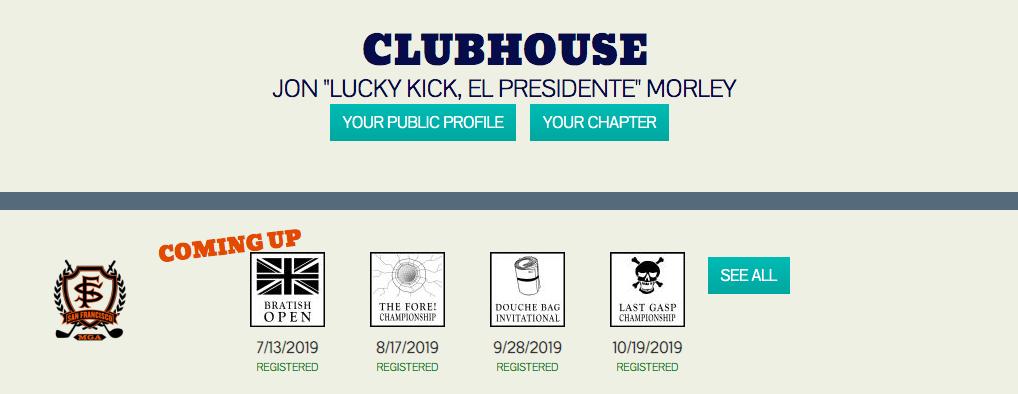
CHAPTER VIEW (After clicking the "schedule" button)

Select the event you want to register for and click REGISTER AS A COMPETITOR. You will see your name and picture appear in the REGISTERED PLAYERS section if you are successfully registered.
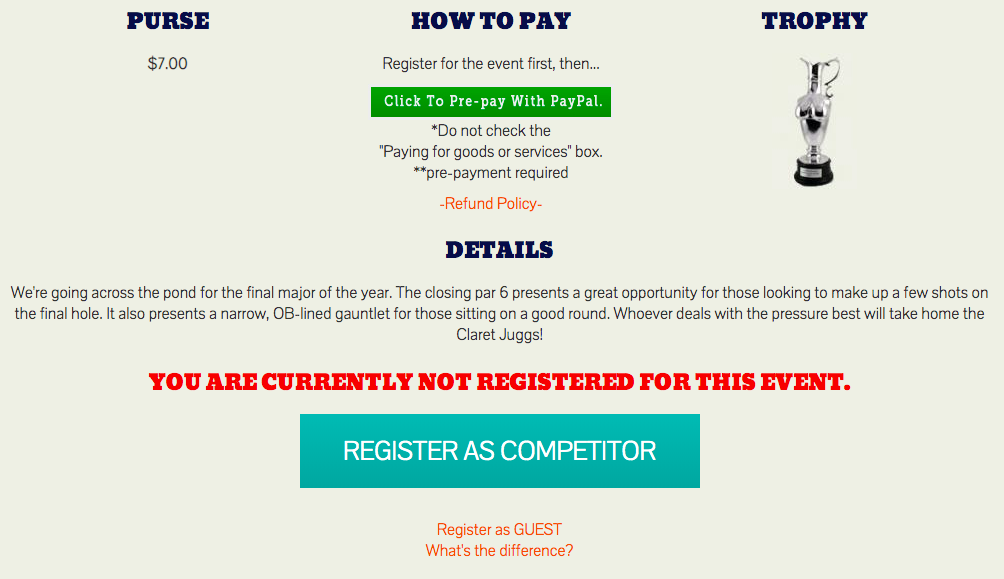
BEFORE YOU LEAVE THE EVENT PAGE:
If there is green "Click to Pre-pay with PayPal" button, as in the screenshot above, click the REGISTER AS A COMPETITOR button first. Then make sure to click the PayPal button to pay your Chapter Leader for the event. Often they have to pre-pay for everyone or put down a large deposit, so the sooner you do this the better mood your CL will be in at the event!
See the final step of playing in your first event HERE.
